Purchasing Technology? Involve your IT Liaison.
The College and Divisional Support Committee in coordination with Deans have decided to adopt best practices for purchasing technology to realize the best value for computer purchases and support for end-users. By buying from the list of standard equipment your college will receive better pricing, fastest support and higher reliability. The IT Liaison will advise you on the appropriate solution to your technological needs.
Click here for the campus IT Liaisons.
Benefits of Standard Configuration
- Saves your department, college, and the campus money.
- Improves your computing reliability because purchasing from the standard list gives you a premium grade computer.
- Helps to protect the confidentiality, integrity and availability of university’s data and information assets.
- Warranty – at least 3 years is included.
- CSU/UC standard configurations with Dell allow our campus to receive a great discount.
- Grant purchases can also use this process and receive the benefits.
- Computer technicians on campus are Dell certified and can help to make repairs quicker, which results in less down time.
As we work together to move towards standard configurations for hardware purchases, we will be reducing costs and increasing the savings for our colleges. We can increase our staff’s capacity to provide valuable support to end-users if we manage the overall demand for desktop support services and lower the cost to support each computer. Below are the baseline computer standards for Fresno State, please consult your IT Liaison for a quote.
Standard Configuration - Tablet

- iPad Air 11”
- AppleCare
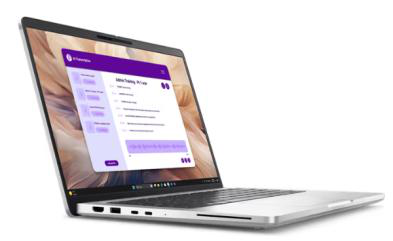
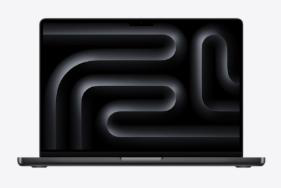
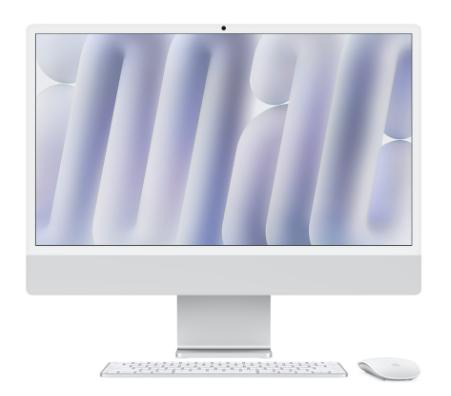
Standard Configurations – Laptops - Desktops
Dell Pro 14 Plus
|
MacBook Pro 14”
|
Dell Pro Slim Plus
|
24’ iMac
|

Standard Configurations – Copiers – Printers

Technology Services encourages departments to use a networked ubeo – Ray Morgan Copier.
Click here for Fresno State Procurement process for obtaining an ubeo - Ray Morgan Copier.
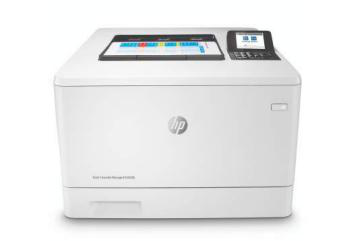
If copier does not work for you, please consult your IT Liaison for a quote for an HP LaserJet Managed printer.
Standard Configurations – External – Flash Drives
- None
Since external drives and flash drives are easily lost or stolen it is not recommended to store University data on them. Technology Services recommends that you do not store confidential information locally on your device or external device. If unencrypted confidential information is stored on your phones, tablet, external hard drive or a USB drive for example and the device is stolen then the data will be considered compromised.
E-mail is not secure and should not be used to transfer confidential or restricted information. If there is a reason why you must use an external drive, please work with your IT Liaison to make sure it is done securely.
Policy information data storage, restricted and confidential information can be found at:
http://fresnostate.edu/technology/departments/security/datastorage.html
Standard configuration as of August 2025
This PDF is provided as a print-only reference document and may not be fully accessible to users of assistive technology. For more information, please visit Title II Rule on Digital Accessibility page.